Free DXF Viewer
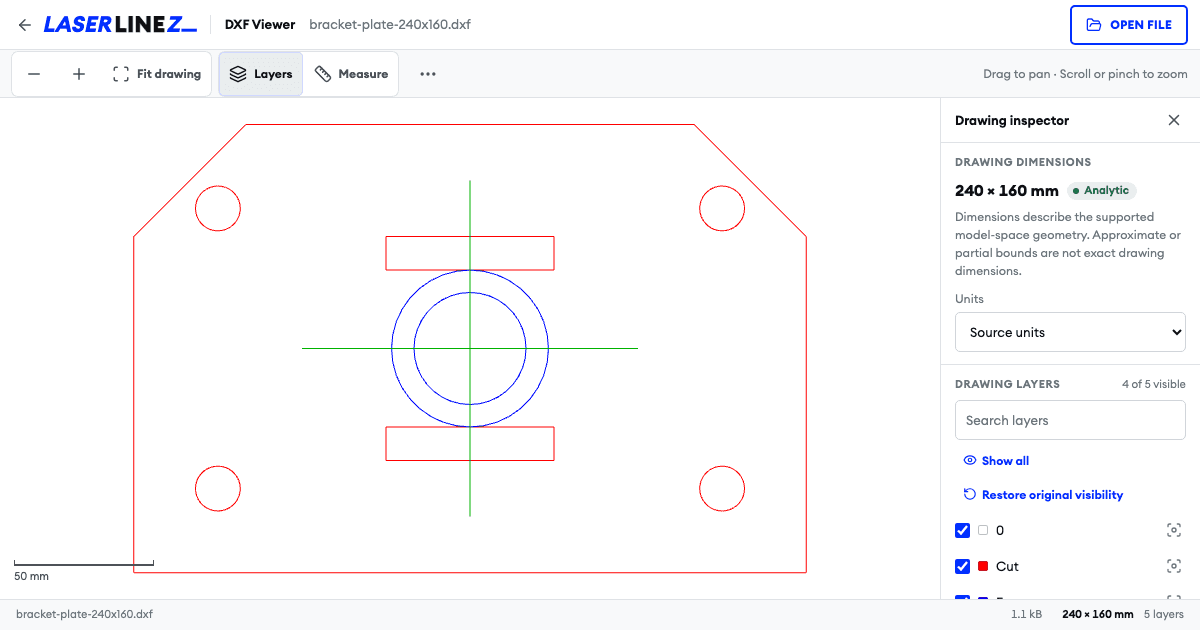
Check a DXF file before it goes to the laser or CNC
A DXF that looks right in one program can reach the machine with the wrong scale, hidden layers or missing parts. The free Laserlinez DXF viewer opens the file in your browser and shows what your laser, CNC or plotter software will read: the geometry, the layers, the drawing size and the units.
The viewer is read-only and runs on your device. Nothing is uploaded, no account is needed, and your file stays exactly as it is. If something needs fixing, correct it in your CAD program or prepare a new file with the Laserlinez conversion services.
What you can check for free
- Lines, arcs, circles, ellipses, polylines and blocks in 2D model space
- Layers with their original visibility, with isolate and show-all controls
- Drawing width and height, calculated from the source geometry
- Declared drawing units, shown in millimeters or inches
- Point-to-point measurements that snap to endpoints and centers
- Compatibility notes that say what the preview may not show
How it works
- 1
Open the DXF
Choose an ASCII DXF file up to 10 MB or drop it onto the viewer. The file is read in your browser.
- 2
Check layers and size
Switch layers on and off, isolate one layer and compare the drawing size with the size you expect.
- 3
Measure, then decide
Measure between snapped points. If everything is right, send the file to your machine software; if not, fix it at the source.

Get credits now and start rendering
Questions about checking DXF files
What the viewer shows, what it does not, and what happens to your file.